WCAG 2.2 AA checklist for online shops
This checklist covers the WCAG 2.2 level AA points that matter most on an online shop — from contrast and alt text to keyboard access, focus and the new target size rule. For each point we note whether an automated tool can catch it (A), only partly (P), or whether it needs a manual check (M).
By Vadym Liubyvyi, founder of Pandus · Updated October 14, 2026 · 4 min read · How we write and check our guides
Text and colour
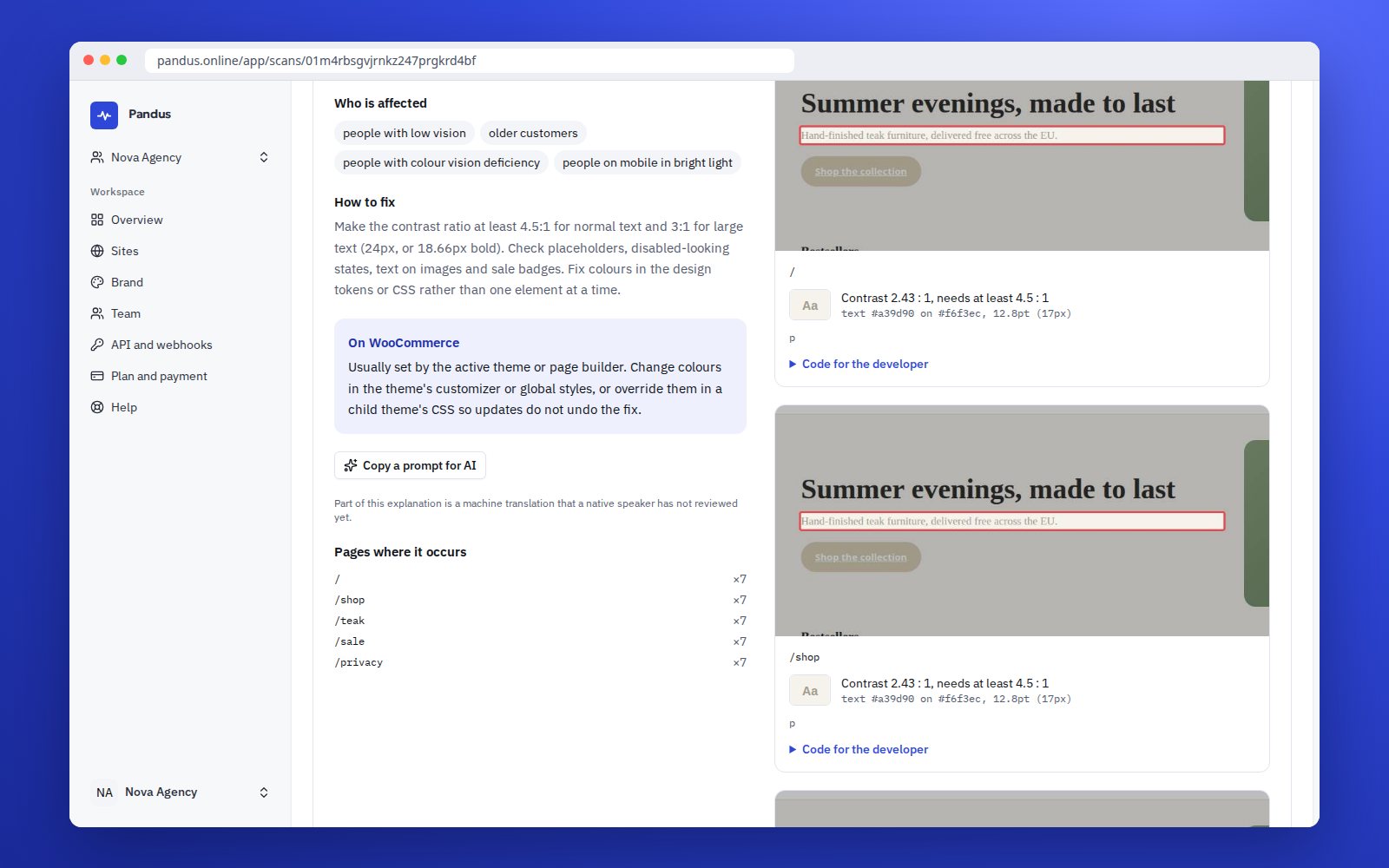
- [ ] Text contrast at least 4.5:1 (3:1 for large text) — including prices, sale badges, placeholder text and text on banners. (A for plain text; M for text over images) — SC 1.4.3
- [ ] Contrast of controls and focus indicators at least 3:1 against the background — input borders, icons, checkbox outlines. (P) — SC 1.4.11
- [ ] Colour is not the only signal — e.g. "out of stock" is not shown only in grey, errors not only in red. (M) — SC 1.4.1
- [ ] Text can be zoomed to 200% and the layout reflows at 320 px width without horizontal scrolling. (M) — SC 1.4.4, 1.4.10
Images and media
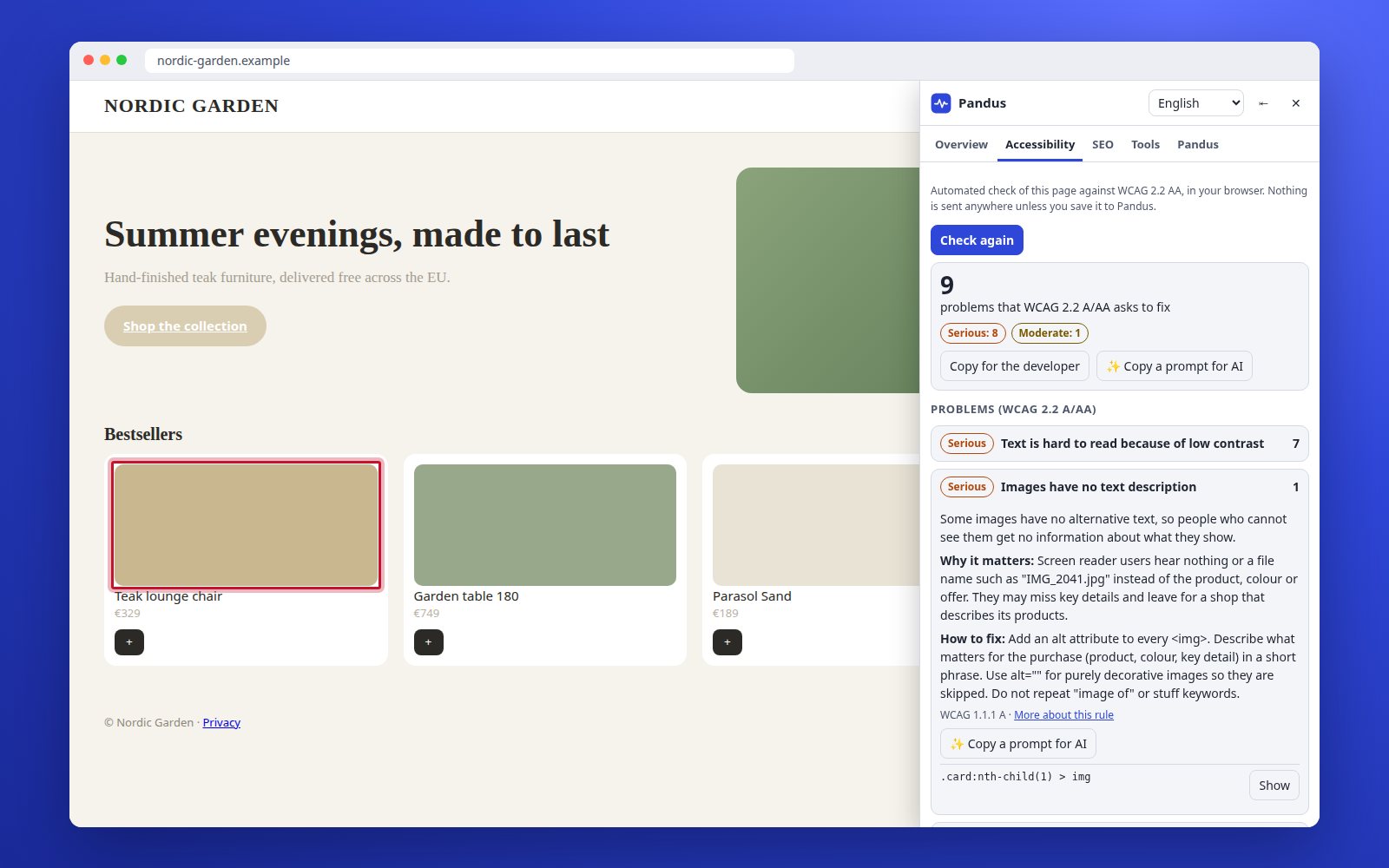
- [ ] Every product image has alt text; decorative images have empty alt. (A for missing alt; M for quality) — SC 1.1.1
- [ ] Alt text describes what matters — "Black leather ankle boot, side view", not "IMG_2041". (M)
- [ ] Videos have captions; autoplaying media can be paused. (M) — SC 1.2.2, 2.2.2
Forms and checkout
- [ ] Every field has a visible label connected to the input (not just a placeholder). (A for missing label; M for clarity) — SC 1.3.1, 3.3.2
- [ ] Errors are described in text, next to the field, with a hint how to fix. (M) — SC 3.3.1, 3.3.3
- [ ] Autocomplete attributes on name, email, address and phone. (P) — SC 1.3.5
- [ ] Redundant entry avoided — the billing address can be copied from shipping. (M) — SC 3.3.7 (new in 2.2, level A)
- [ ] Login without a memory test — allow password managers and pasting, do not require solving puzzles without an alternative. (M) — SC 3.3.8 (new in 2.2)
Buttons, links and structure
- [ ] Every button and link has an accessible name — icon-only cart, search and close buttons included. (A) — SC 4.1.2, 2.4.4
- [ ] Page has a language, a meaningful title and a logical heading structure. (A for language and title; M for structure) — SC 3.1.1, 2.4.2, 1.3.1
- [ ] Consistent help — contact or help links stay in the same place across pages. (M) — SC 3.2.6 (new in 2.2, level A)
Keyboard and focus
- [ ] Everything works with the keyboard — menu, filters, product options, cart, checkout, cookie banner. (M) — SC 2.1.1
- [ ] No keyboard traps in pop-ups and chat widgets. (M) — SC 2.1.2
- [ ] Focus is visible at all times. (M) — SC 2.4.7
- [ ] Focus is not hidden behind sticky headers, cookie banners or chat bubbles. (M) — SC 2.4.11 (new in 2.2)
- [ ] Logical focus order that follows the visual order. (M) — SC 2.4.3
Touch and pointer
- [ ] Targets at least 24 × 24 CSS pixels or with enough spacing — quantity steppers, size swatches, pagination. (P) — SC 2.5.8 (new in 2.2)
- [ ] No drag-only controls — price sliders and carousels also work with simple clicks. (M) — SC 2.5.7 (new in 2.2)
What automation catches — and what not
Automated tools, including the axe-core engine we use, reliably find missing alt attributes, missing labels, buttons without names, low text contrast, missing page language and broken ARIA. They find only part of all issues, and studies disagree on how large a part (GOV.UK test, Deque study). Keyboard flow, focus visibility, meaningful alt text and understandable errors need a person. That is why our report is an automated check, not a full audit, and not legal advice.
How to use this checklist
- Run an automated scan of home, category, product, cart and checkout — start with our free check.
- Fix the automated findings first; they are quick wins.
- Walk through the manual points with a keyboard only (Tab, Shift+Tab, Enter, Space, Esc).
- Re-check after every theme or app update.
Related: all WCAG criteria explained, what is new in WCAG 2.2, how to test WCAG, the 10 most common e-commerce errors, what changes with EN 301 549 V4.1.1, EAA guide, glossary.
Download this checklist as a PDF
Download the checklist as a PDF
Open the checklist as a page Download the PDF without e-mail
Or get the link by e-mail, with occasional tips if you want them.
Every success criterion of levels A and AA with what to check and a tick box. Free, with a link by e-mail.
Sources
- W3C, Web Content Accessibility Guidelines (WCAG) 2.2: https://www.w3.org/TR/WCAG22/
- W3C, What's new in WCAG 2.2: https://www.w3.org/WAI/standards-guidelines/wcag/new-in-22/
Read next
Guides and tools
- WCAG 2.2 quick reference: every A and AA criterion on one page
- How to test a website against WCAG, step by step
- Free WCAG checker for WCAG 2.2 AA
Automated checks for this topic
-
There is no quick way to skip to the main content
bypass
-
The page has no title
document-title
-
The page does not say which language it is in
html-has-lang
-
The page's language setting is wrong
html-lang-valid
-
Buttons and links are too small to tap easily
target-size
-
Some text is marked with a wrong language code
valid-lang
Help articles
-
How to read a report and what to fix first
What each part of the report means and how to turn it into a to-do list for your developer.
-
Export the problems and compare two checks
Give developers a CSV, JSON, GitHub or Jira file, and see which problems were fixed, which are new and which are still open.