Live demo of the Pandus SDK, no sign-up
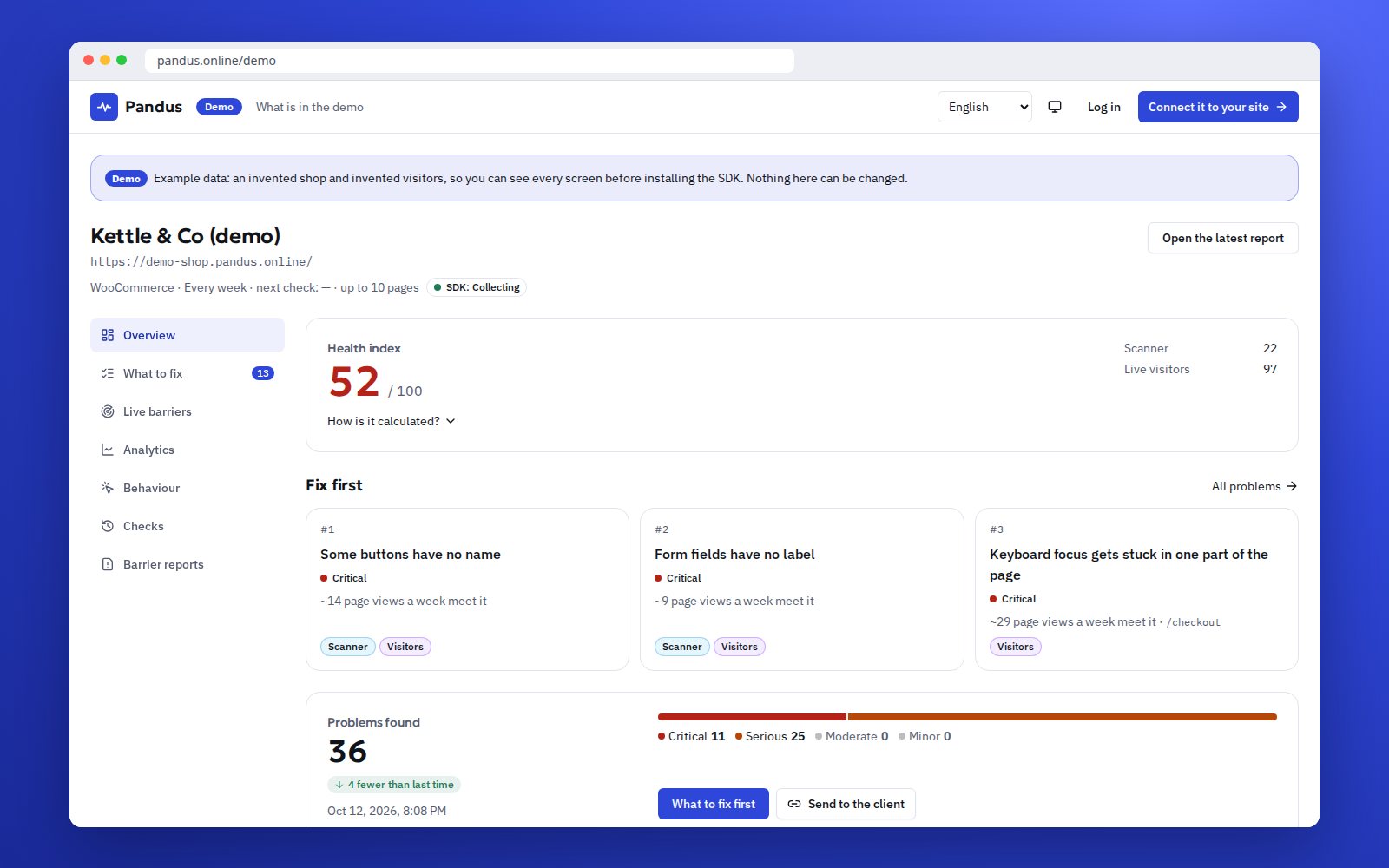
Click through the Pandus SDK on an invented shop: the barriers its visitors meet, what to fix first, analytics after consent, heatmaps and the speed of every page. No sign-up, nothing to install.
- No sign-up
- Invented data, refreshed nightly
- Read-only

How it looks
What you can try in the demo
Eight screens of the same invented shop. Click through them in any order; nothing you do changes anything.
-
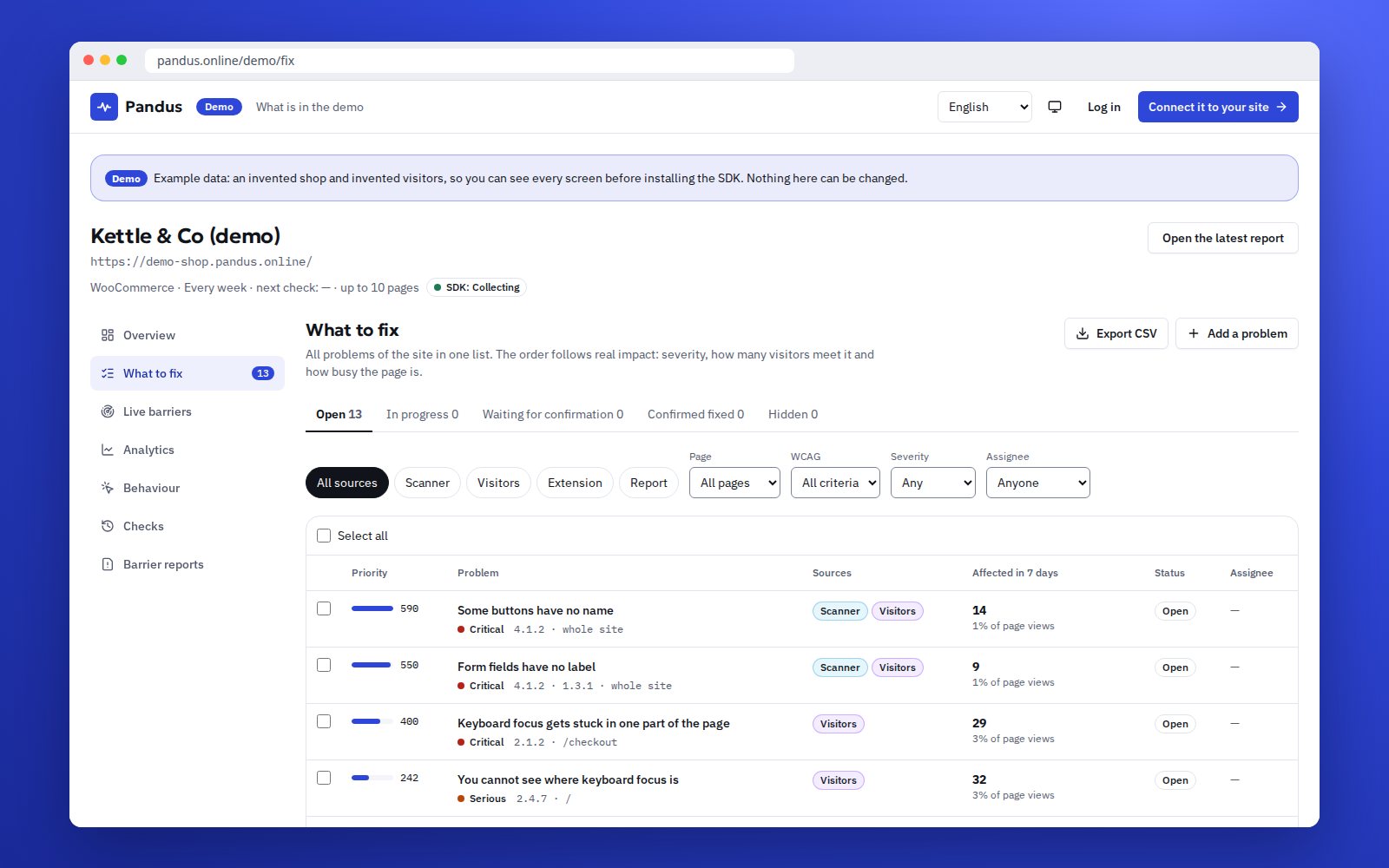
What to fix
Problems from the scanner and from real visitors in one list, by priority, with the page, the element and the WCAG 2.2 / EN 301 549 clause.
Open "What to fix" -
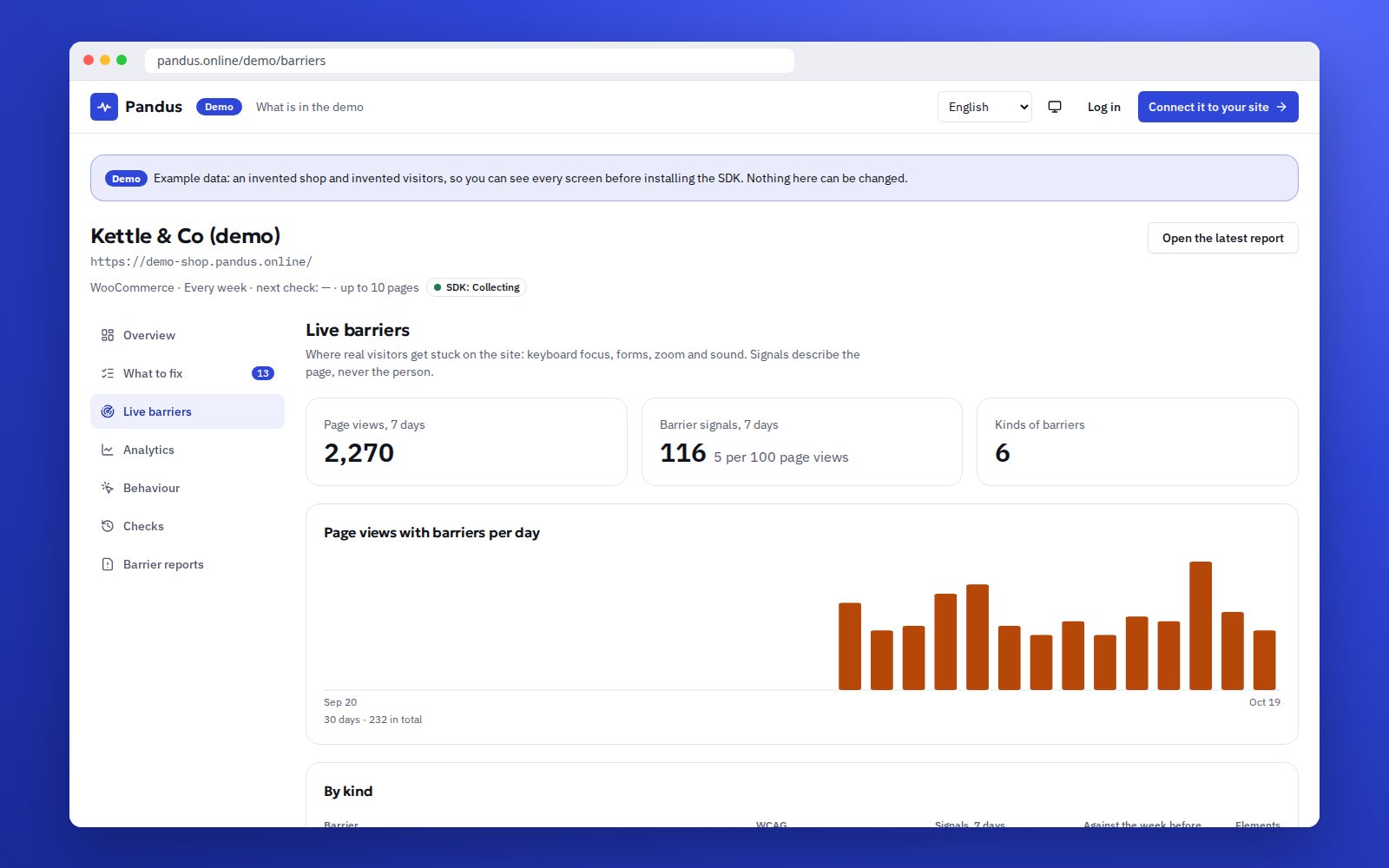
Live barriers
A focus trap in a pop-up, a form error nobody can find, a button that ignores the keyboard: what visitors met, page by page.
Open live barriers -
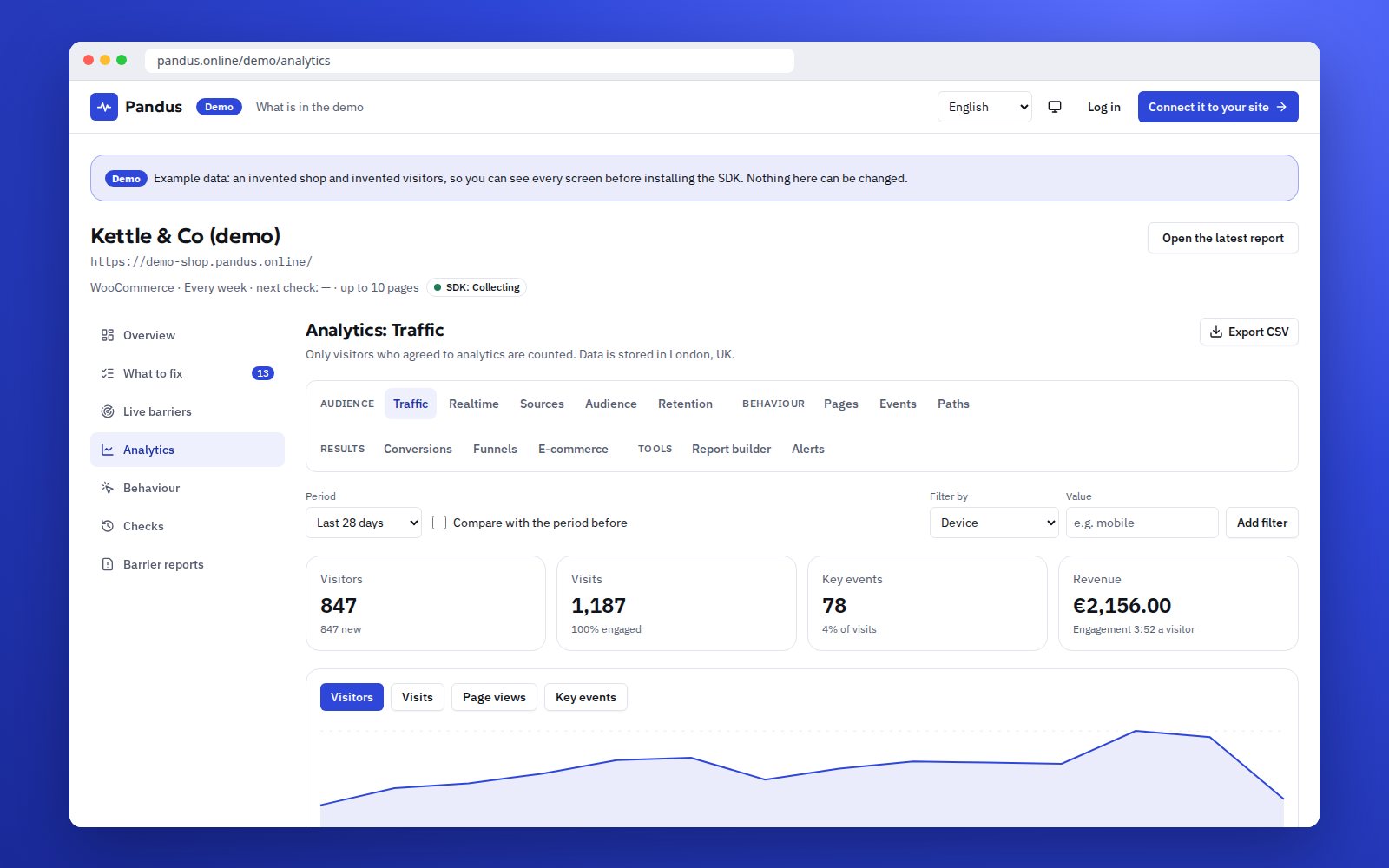
Analytics after consent
Visitors, sources, pages, events and funnels, counted only for people who agreed. Funnels show the barrier on each step where people leave.
Open analytics -
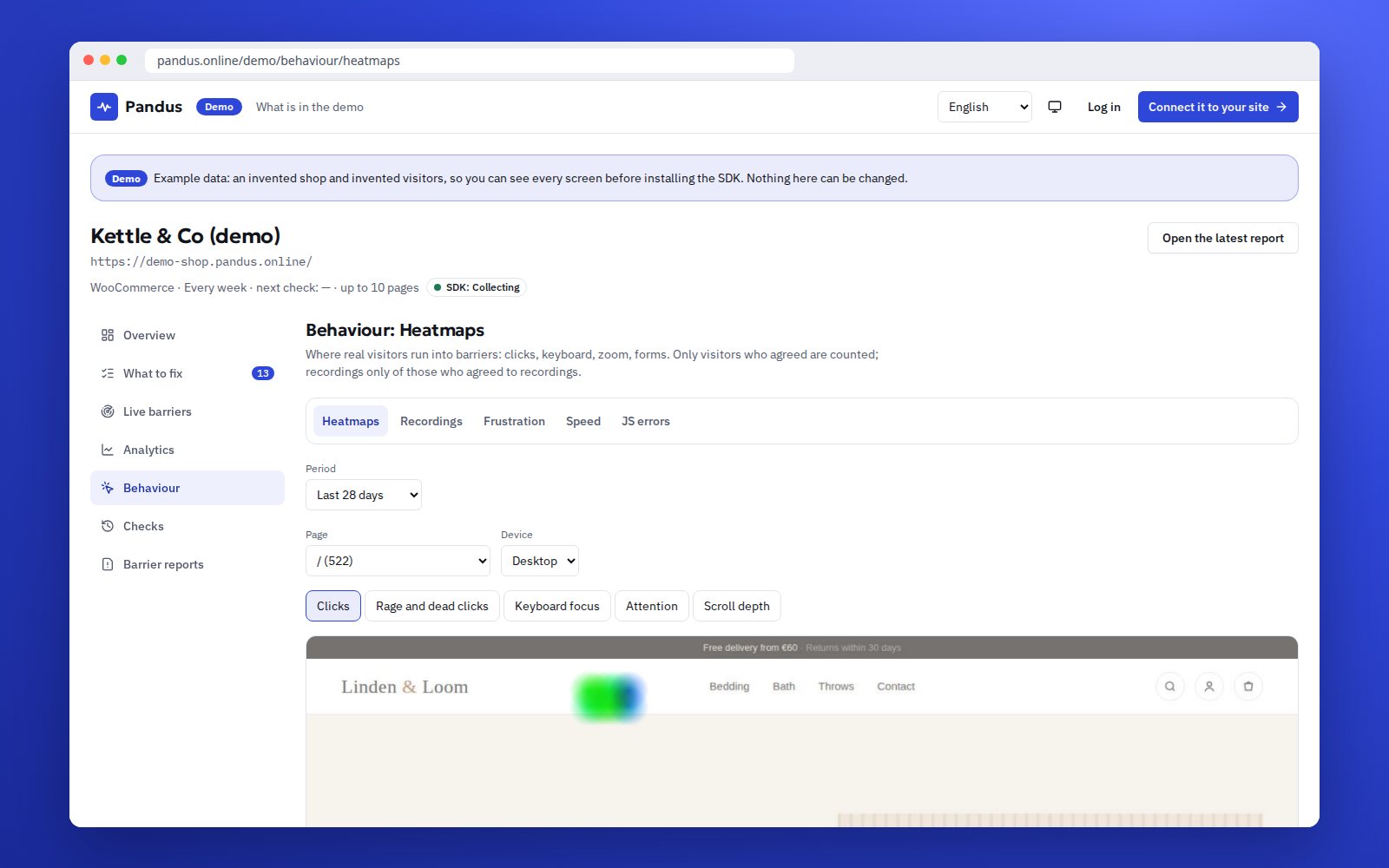
Heatmaps
Clicks, rage clicks, keyboard focus and scroll depth on a screenshot of the page. Each layer also comes as a table.
Open heatmaps -
Recordings
Replays of visits with all text and fields masked in the browser, to see where a person got stuck.
Open recordings -
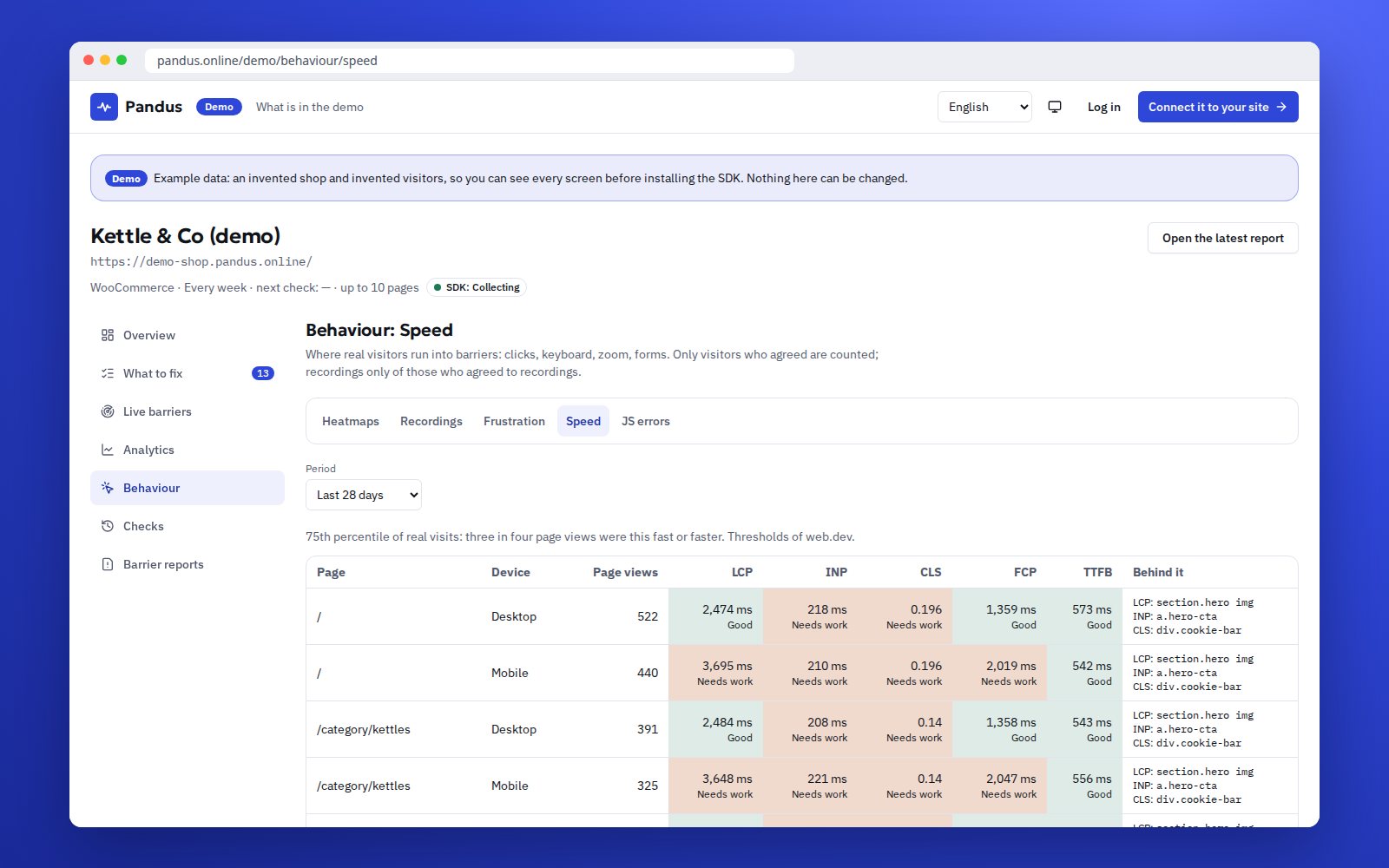
Speed
Web Vitals of real visits per page, with the element behind each slow value: the image, the script.
Open speed -
Checks
The scheduled scanner on public pages and its history, next to what visitors actually met.
Open checks -
Reports
A summary for the owner or the client, in plain words, ready to read or hand over.
Open reports
Get the same on your site in 3 steps
No developer sprint needed to see the first data.
-
1
Create an account and add your site
Sign up for free, enter the address and confirm that the site is yours.
-
2
Add one line of code
Paste the snippet before the closing body tag, or run `npm install @pandus/sdk` in a modern project. There are helpers for React, Next.js, Vue and Nuxt.
-
3
Connect it to the consent from your banner
The SDK starts only after your cookie banner reports consent. Until then it sends nothing and sets no cookie.
Privacy by design
The data you see in the demo follows the same rules your visitors get on your site.
-
Consent first
Without consent the SDK sends nothing and sets no cookie. Analytics, heatmaps and recordings count only visitors who agreed.
-
Masking in the browser
Recordings mask all text and fields before anything leaves the visitor's browser. Events carry no form values.
-
Stored in the UK and the EU
Visitor data is stored in the UK and the EU, not in the United States. You can delete it and the account at any time.
-
Not an overlay
The SDK does not change your site and does not "fix" it with a widget. It shows what to fix; your developer fixes it.
Who it is for
The same screens answer different questions.
-
Online shops
See in which step of the cart or checkout people with a keyboard or a screen reader give up, and what that costs in orders.
-
Agencies and studios
Show clients real barriers and speed instead of a one-off audit PDF, and prove that a fix worked.
-
Developers
Get the page, the selector and the clause for each problem, and add the SDK with one line or an npm package.
Frequently asked questions
Are these real visitors?
No. The demo shop and its visitors are invented and refreshed every night, so you can click through every screen without anyone's data. On your own site the same screens fill with your visitors who agreed to it.
Do I need an account to open the demo?
No. The demo opens in your browser without signing up. To see your own site, create a free account and add the SDK with one line of code.
Can I change something in the demo?
No, the demo is read-only. Settings, the SDK code and links for clients are only in your own account.
Does the SDK collect anything before the visitor agrees?
No. Without consent the SDK sends nothing and sets no cookie. After consent it sends events without form values; recordings mask all text and fields in the browser.
Does the SDK fix accessibility problems on my site?
No. Pandus is not an overlay. It shows where real visitors get stuck and what to fix; your developer fixes it in the code. An automated check finds part of the problems, it is not a full audit.
How fresh is the demo data?
The demo shop gets new invented visitors every night, so the dates, trends and the latest visits always look current. The numbers are made up. On your site the screens show only visitors who agreed, so expect smaller numbers than in the demo.
Does the demo use cookies?
The demo does not sign you in and sets no session cookie. On your own site the SDK sets no cookie before the visitor agrees.
Which plans include the SDK?
The SDK is part of the Pandus plans. The number of sites, recordings per month and how long data is kept grow with the plan; the pricing page lists the exact limits.
Can I show the demo to my client?
Yes, send the link to /demo; it is public and read-only. To show a client their own site, create a read-only link for them in your account.
Is the SDK open source?
Yes. The code is on GitHub (https://github.com/Pandus-Online/Pandus-SDK) under the MIT licence and the package is @pandus/sdk on npm, so your developer can read what runs on your pages.
What the demo is, and what it is not
- The shop and its visitors are invented; no real person's data is in the demo.
- On your site the SDK starts collecting only after the visitor agrees, and recordings mask all text and fields in the browser.
- Pandus does not install an overlay and does not change your site. It shows what to fix; your developer fixes it.
- An automated check finds part of the problems. It is not a full audit and not legal advice.
Keep reading
Where to go after the demo.
-
The Pandus SDK
What it measures, how it works and what it costs, in one page.
See the SDK -
Developer docs
Install, consent, events and the API for the SDK.
Read the docs -
Pricing
Plans, limits and what each plan includes.
See pricing -
Browser extension
Check any page for accessibility and SEO in one click, also behind a login.
See the extension
See your own site in the same screens
Create a free account, add the SDK and the first barriers appear as soon as visitors agree.