Skip to content
Pandus

Accessibility for company websites, SaaS and online services

Most sites are neither shops nor agency projects: a company website, a SaaS product, a booking service, a portal with a login. Pandus checks every public page each week, and the SDK shows where real users get stuck once they sign in. Reports in plain words, no overlay, data in the EU.

  • Every public page, every week
  • Behind the login with the SDK and the extension
  • Automated check, not an audit

How it looks

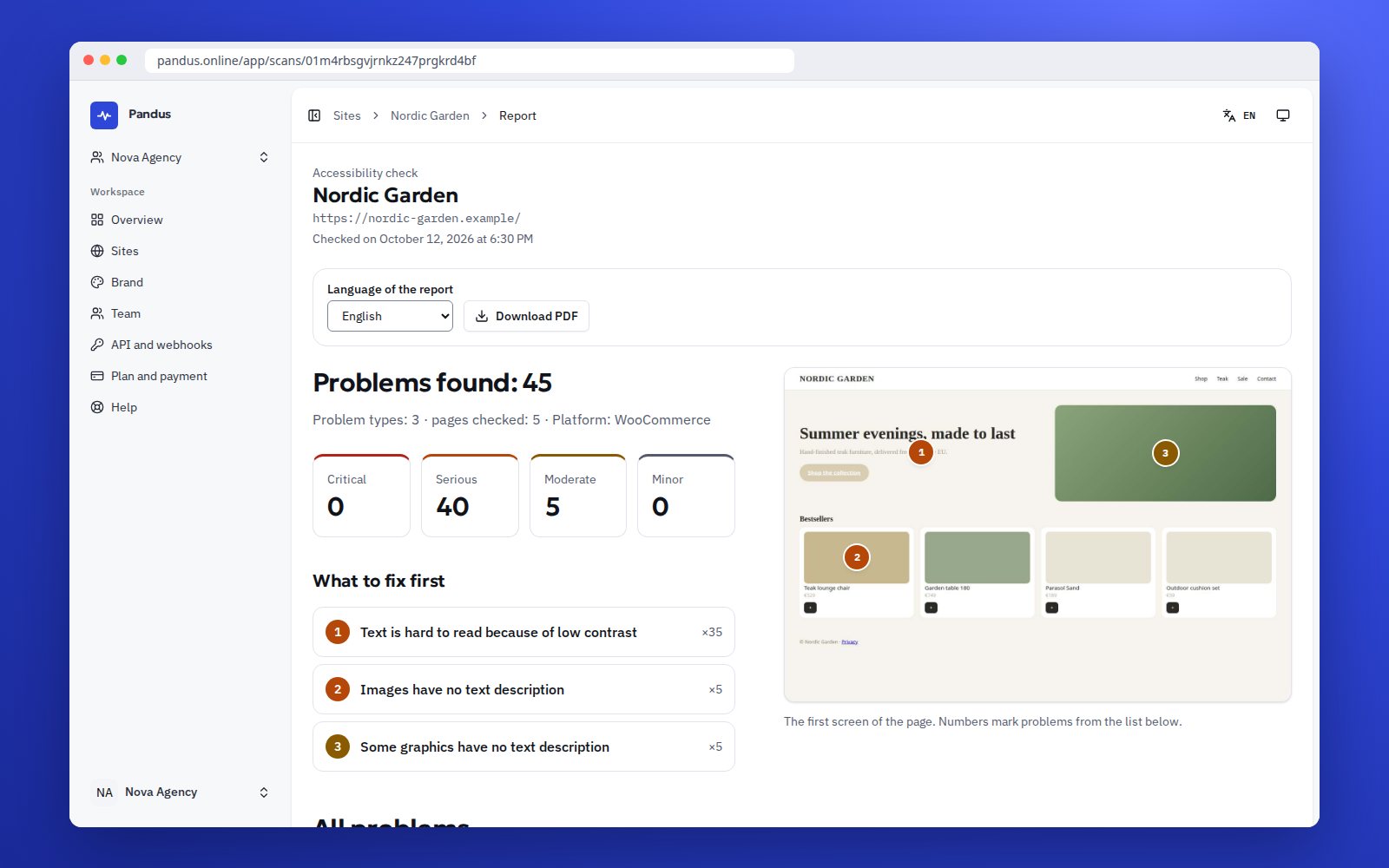
The report for the owner: what to fix first, with a screenshot of the page
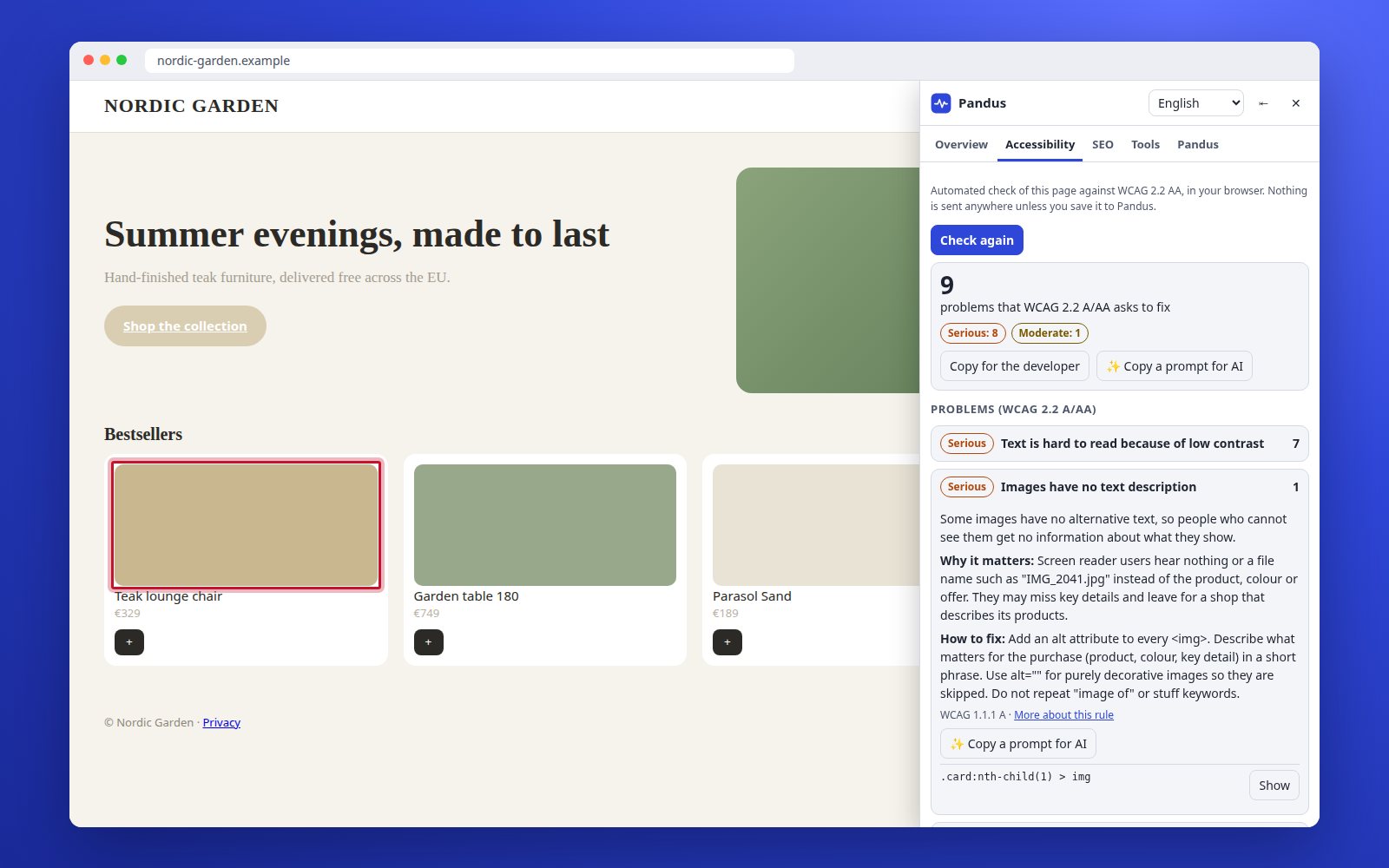
The extension on an open page: problems against WCAG 2.2 A and AA, explained, with the element outlined
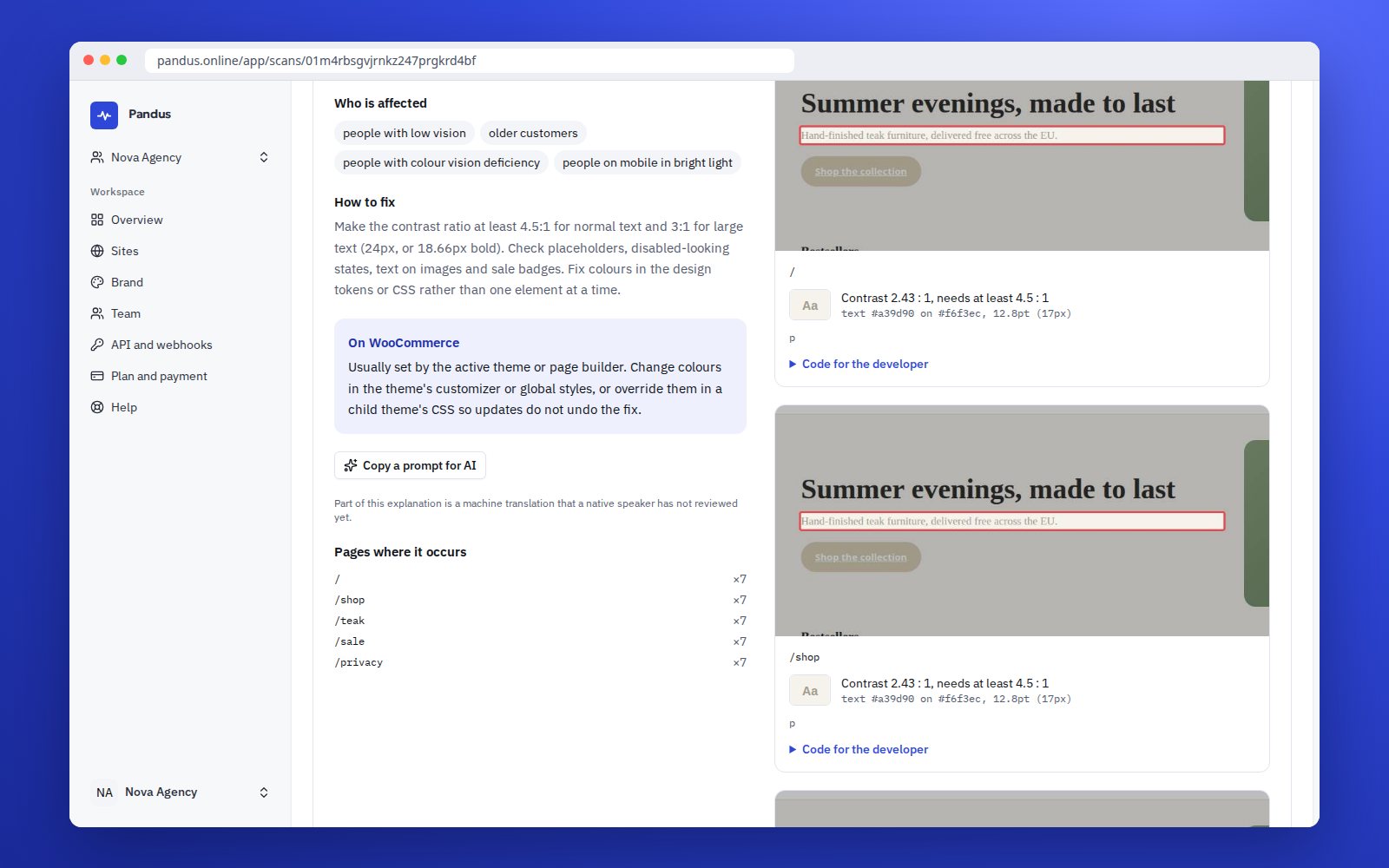
Each problem explained in plain words, with how to fix it on the platform

Which rules apply

Not every site is under the same law

The European Accessibility Act covers specific consumer services: e-commerce, consumer banking, electronic communications, passenger transport, e-books and access to audiovisual media. Public bodies have their own rules under the Web Accessibility Directive. A B2B site or a SaaS for companies is usually outside both, and the pressure comes from elsewhere: tenders that ask for EN 301 549, US buyers that ask for a VPAT, customers who cannot sign up.

  • Consumer service in an EAA sector: the EAA applies, unless you are a micro-enterprise. Take the EAA filter.
  • Public body or its contractor: the Web Accessibility Directive and national rules, for example BITV 2.0 in Germany or the Polish digital accessibility act.
  • B2B, SaaS, company website: no EAA duty as such, but procurement, the ADA in the US and the UK Equality Act keep the question open. Read is accessibility required for B2B websites?

If none of this applies to you, we do not talk about the law. Accessibility still decides whether a visitor with a screen reader or a keyboard can use your site, and that is reason enough to check.

Which rules apply to your site?

Do you offer a service to consumers?
Is it in an EAA sector, or are you a public body?
Do public-sector or enterprise clients ask for EN 301 549 or a VPAT?

Answer the three questions to see the result.

This is guidance, not legal advice.

What Pandus does for a service site

How it works
  • Every public page, every week

    The scanner crawls the site, checks each page against WCAG 2.2 AA and shows what is new since the last check, so a release or a CMS update does not go unnoticed.

  • The part behind the login

    The SDK reports where signed-in users get stuck: trapped focus, unnamed buttons, form errors nobody can hear. The extension checks any page you have open, including staging.

  • Reports people can read

    Each problem is explained in plain words in seven languages: what is wrong, why it matters for users and how to fix it in code.

  • For the development team

    Selectors and HTML examples, export to CSV, JSON, GitHub and Jira, an API, and an MCP server so an AI assistant fixes problems with Pandus data.

  • Accessibility page and ACR draft

    A draft of your accessibility statement from a questionnaire, and on Agency plans a draft Accessibility Conformance Report in VPAT format for buyers and tenders.

  • No overlay, data in the EU

    Nothing is added to your site. Scan data and SDK events stay in the EU and the UK, collected only after the visitor agrees.

Web applications

The problems a crawler never sees

In a web app the accessibility problems live in states: a dialog that opens, a route that changes without moving focus, a toast that nobody hears, a table that only works with a mouse. A scanner sees the sign-in page and stops.

The SDK runs in your users’ browsers after consent. It reports barrier signals from the real state of the app and, on a sample of page views, runs axe-core on that state. Everything lands in one list with the scanner’s findings, ordered by how many users each problem hits.

  • Live barriers: focus traps, invisible focus, unnamed controls, unannounced form errors, broken reflow, with the WCAG criterion.
  • Live axe: the open axe-core engine on real page states, with every text replaced before anything leaves the page.
  • Check the fix: after a release the scanner checks again and live traffic confirms that the signal is gone.

Example scenarios

How teams use Pandus

  • SaaS · product team

    A buyer asks for a VPAT

    A procurement questionnaire from a university lands in the inbox: “Please attach your ACR.” The team connects the app to Pandus, runs the extension on the signed-in screens and gets the first list of blockers in an afternoon. After two sprints the Agency plan produces a draft ACR with the known limitations written honestly, and the sales call is about a plan, not about a missing document.

    • A list of blockers before the buyer finds them
    • A draft ACR that says what is open, not “compliant”
  • Online booking service

    The calendar nobody could use with a keyboard

    A booking site for a chain of clinics has a date picker that works only with a mouse. The weekly check never saw it: the calendar opens on a click. The SDK did: in a week 63 visitors got stuck on it, most of them on a phone with a screen reader. The developer replaced the component with an accessible one, and the next week the signal was gone.

    • The first fix is the step where appointments were lost
    • Confirmed by real visitors, not by a checklist

We wrote these scenarios to show where Pandus fits into a working day. They are examples, not customer quotes: real reviews appear on this site only when a customer agrees to publish one.

Three things we say up front

  • An automated check finds part of the problems. The hand-over checklist in the extension and the testing guide cover the manual part; a full audit by a specialist is a separate service.
  • We never say a site “complies” with a law. The report says what was found, what was fixed and what is still open.
  • Nothing is added to your site. We do not sell overlay widgets, and the extension warns when it finds one on a page.

Frequently asked questions

We are a B2B company. Does any accessibility law apply to our website?

The European Accessibility Act covers services for consumers, so a purely B2B site is usually outside it. Other reasons remain: public-sector clients ask for EN 301 549 in tenders, US buyers ask for a VPAT, and the UK Equality Act applies to services offered to the public. Our guide on B2B websites goes through the cases; the final word belongs to your lawyer.

Can Pandus check the pages behind our login?

Yes, in two ways. The browser extension checks the page you have open, including your account area and staging. The SDK reports where real users get stuck after they sign in, and runs axe-core on a sample of real page states, after consent.

Is a web application different from a website for the check?

The rules are the same, WCAG 2.2 AA. What differs is where the problems hide: dialogs, route changes, toasts and custom components that a crawler never sees. That is why the SDK and the extension exist next to the weekly scanner.

Do we get something we can show a buyer or a tender?

Agency plans include a draft Accessibility Conformance Report (VPAT format) from the automated check, clearly marked as a draft. A complete ACR needs a manual review, which we do not sell as part of the subscription.

See what the check finds on your site

One page, usually about a minute, no sign-up. Start with the page where visitors sign up or sign in.

We send the result with a PDF you can forward to your developer. Leave it empty to see the result only on this page. Privacy policy

One page, WCAG 2.2 AA, about a minute. Automated check, not a full audit. Not legal advice.